In short
HoverBot's public demo portal lets buyers, product teams and developers test its website chat widget in hosted property and SaaS scenarios. Each demo combines an instructional overlay, suggested prompts, structured responses and sample data to show the same embedded widget across different information models, tones and workflows.
What's new
- Central demo hub. The new portal collects live, hosted demos so visitors can try HoverBot without setup.
- Industry examples. Two verticals are available at launch: residential property and developer-focused SaaS. More sectors will be added.
- In-product guide. Each demo opens with an overlay that explains scope and shows sample questions. Visitors can click a prompt to send it, or type their own.
How the demos work
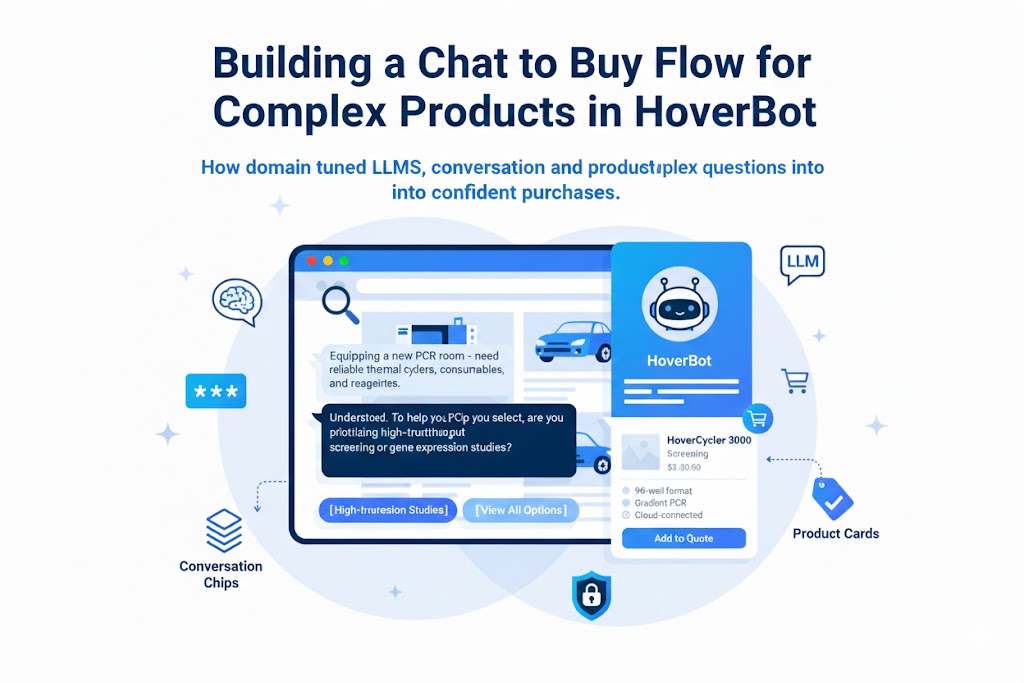
Both demos run the same HoverBot web widget embedded in a full webpage. A short overlay clarifies the bot's role and any limits in the sample experience, then offers "suggested prompts" to try. Answers appear in the right-hand chat, with clear, structured responses and a running transcript.
Behind the scenes, the demos use a compact retrieval-augmented knowledge base so the assistant can cite specific facts relevant to the page context. They are designed to show the conversational flow, response formatting, and the lightweight UX elements (prompt chips, typing indicators, message actions) without requiring any configuration.
Note: The demos use sample data and, in some cases, stub selected features to keep the experience fast and predictable.
Property demo (demo1.hoverbot.ai)
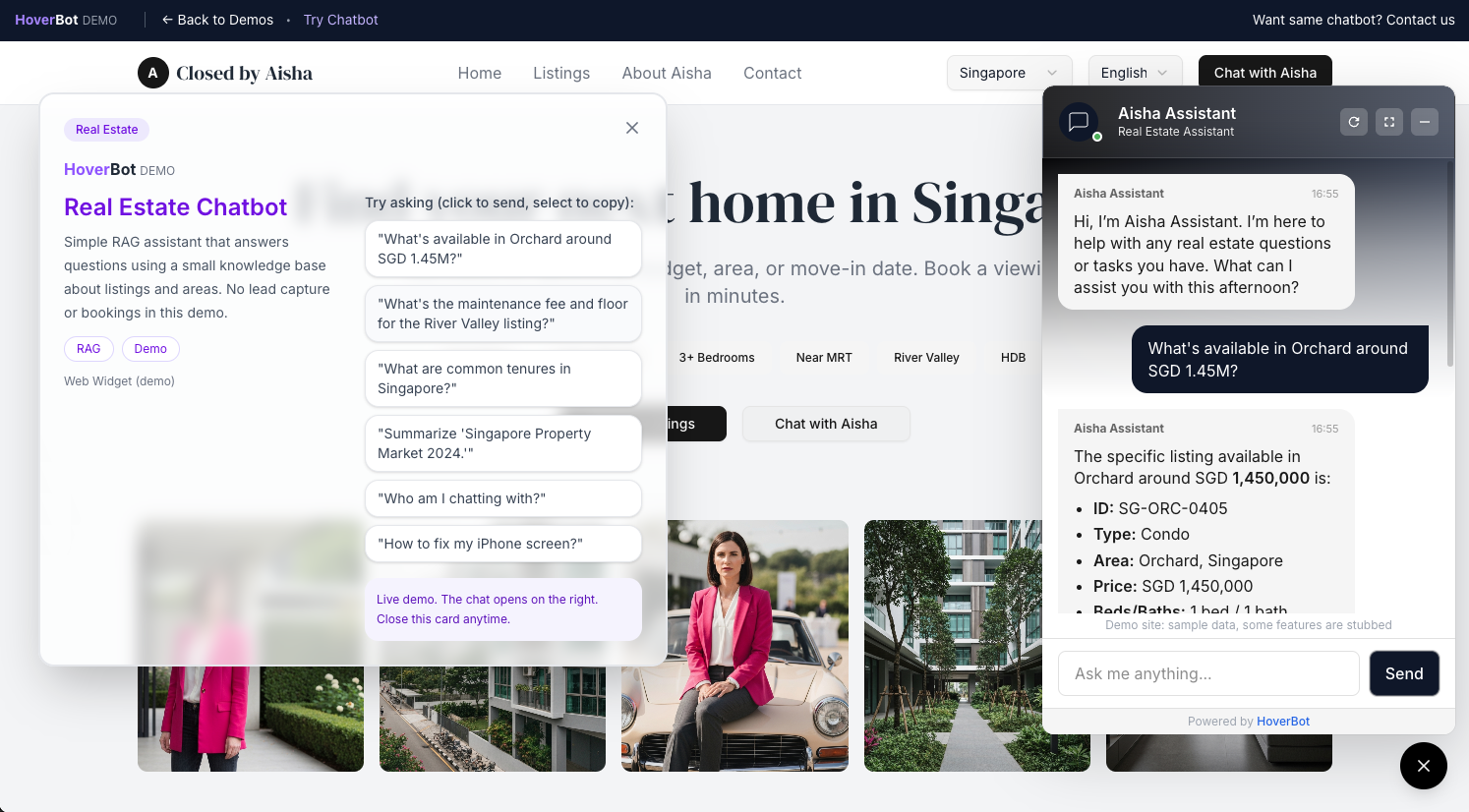
A guided assistant helps users ask about properties by budget, area or listing ID. Typical, click-to-send questions include:
- "What's available in Orchard around SGD 1.45M?"
- "What are common tenures in Singapore?"
- "Summarize this month's property market update."
The bot responds with listing-style details, such as ID, type, area, price, and bed/bath count, to illustrate concise, scannable answers. The page also includes quick-filter chips (e.g., bedrooms, near MRT) to mirror a real search journey.
SaaS product demo (demo2.hoverbot.ai)
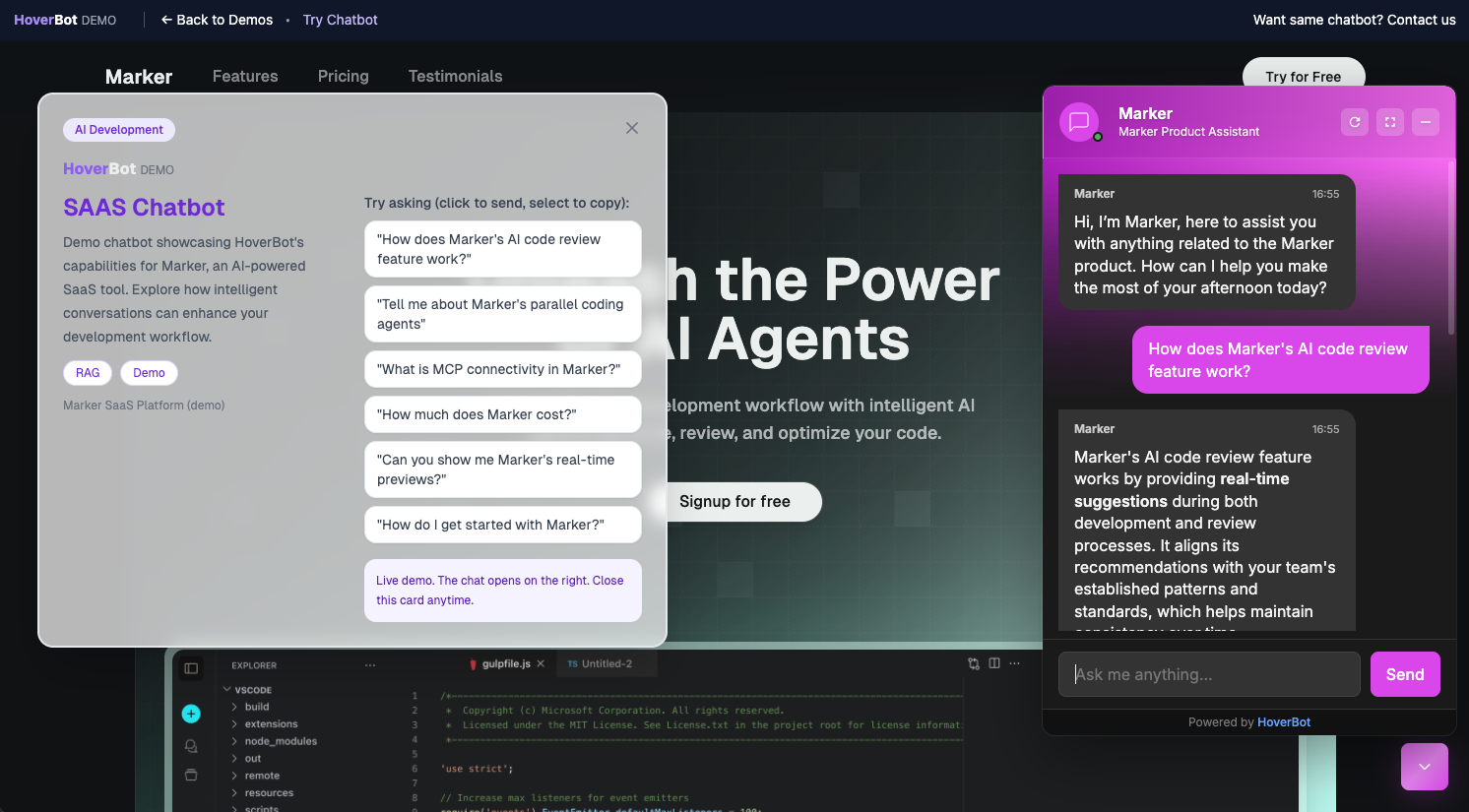
This demo frames the assistant as a product guide for a developer tool, showing how HoverBot can answer feature, pricing, and onboarding questions. Example prompts include:
- "How does the AI code review feature work?"
- "What is MCP connectivity?"
- "Can you show real-time previews?"
- "How do I get started?"
Responses emphasize feature explanations, setup steps, and team workflows, reflecting a common B2B SaaS support pattern where the bot shortens time-to-value and reduces repetitive pre-sales questions.
Why it matters
- Faster evaluation. Prospects can experience the chat flow and answer quality in minutes, with no sandbox signup and no SDK.
- Vertical fit. Property and SaaS are common starting points for buyers; the demos illustrate how the same widget adapts to different information models and tones.
- Low-friction UX. On-screen overlays and prompt chips remove guesswork and encourage first-time users to try meaningful queries.
Try the demos
- Demo hub: https://demo.hoverbot.ai/
- Property assistant: https://demo1.hoverbot.ai/
- SaaS product assistant: https://demo2.hoverbot.ai/
For a tailored walkthrough or a proof-of-concept on your data, request a live demo.
Frequently asked questions
- How can I test HoverBot without setting it up?
- HoverBot can be tested through the public demo hub, which links to hosted property and SaaS product assistants. Each demo opens with a scope and limits overlay, offers click-to-send suggested prompts, and accepts typed questions. The experience requires no sandbox signup, SDK, or configuration.
- What do the property and SaaS chatbot demos show?
- The property demo handles questions about budget, area, listing ID, tenure, and market updates. Its responses use listing-style fields and quick filters such as bedrooms and proximity to MRT. The SaaS demo focuses on feature explanations, pricing, onboarding, setup steps, and team workflows for a developer tool.
- How do the website chatbot demos use retrieval-augmented generation?
- Behind the demos, a compact retrieval-augmented knowledge base supplies facts relevant to the page context. This supports responses that cite specific information while preserving a running transcript in the chat. The demonstrations are intended to show conversational flow, response formatting, and interface elements without requiring configuration.
- Do the chatbot demos use real customer data and fully implemented features?
- The demonstrations use sample data. In some cases, selected features are stubbed to keep the experience fast and predictable. They are designed to illustrate interaction patterns, response formatting, and user experience elements such as prompt chips, typing indicators, message actions, quick filters, and structured answers.
About the author
AI Product Engineering Team
Cross-functional team of AI engineers, product managers, and support operators building customer-facing chatbot systems in production environments. We ship weekly releases informed by production telemetry, closed-loop conversation reviews, and benchmark-driven evaluation cycles.
- Customer support automation and intelligent routing systems
- RAG pipeline design and guardrails for regulated workflows
- Operational analytics and closed-loop quality improvement
- Multilingual NLP and entity-level PII masking pipelines
- Production deployments across e-commerce, real estate, and SaaS verticals