In short
A modular chatbot skills framework extends a question-and-answer bot with targeted capabilities for specific business workflows. Skills can detect conversation intent, collect contact details, send promotional content, schedule follow-up actions, and transfer captured information into a CRM, while a focused skill set helps preserve relevant conversation flows.
In 2025, just having a "smart" text based chatbot is not enough.
Businesses are no longer impressed by bots that can answer FAQs. They want AI that understands context, adapts in real time, and supports their unique goals.
That is where the HoverBot Skills Framework comes in.
Why a One Size Fits All Chatbot Falls Short
This year, we have seen a shift. Our clients come to us with highly specific requests that go far beyond answering customer questions.
A retail client wanted the chatbot to automatically send a pre designed promotional image when a certain keyword or conversation trigger was detected. This essentially turned the bot into a dynamic marketing assistant.
A service provider wanted the chatbot to detect buying intent in real time and adjust the flow accordingly. When a visitor showed strong purchase interest, the chatbot could guide them directly to booking or capture their contact details for follow up.
These are things a generic out of the box chatbot simply cannot handle without heavy customization.
What is a Chatbot Skill?
Think of a chatbot skill as a plugin, a modular feature that upgrades your chatbot's default behavior.
Instead of a static question and answer bot, you get a responsive, action oriented assistant that can interact with your customers in more intelligent and targeted ways.
In HoverBot, skills come in two types:
- Public Skills, available to all chatbots on the platform such as lead generation, calendar integration, and feedback collection.
- Custom Client Skills, built specifically for one client's workflows, branding, and customer journey.
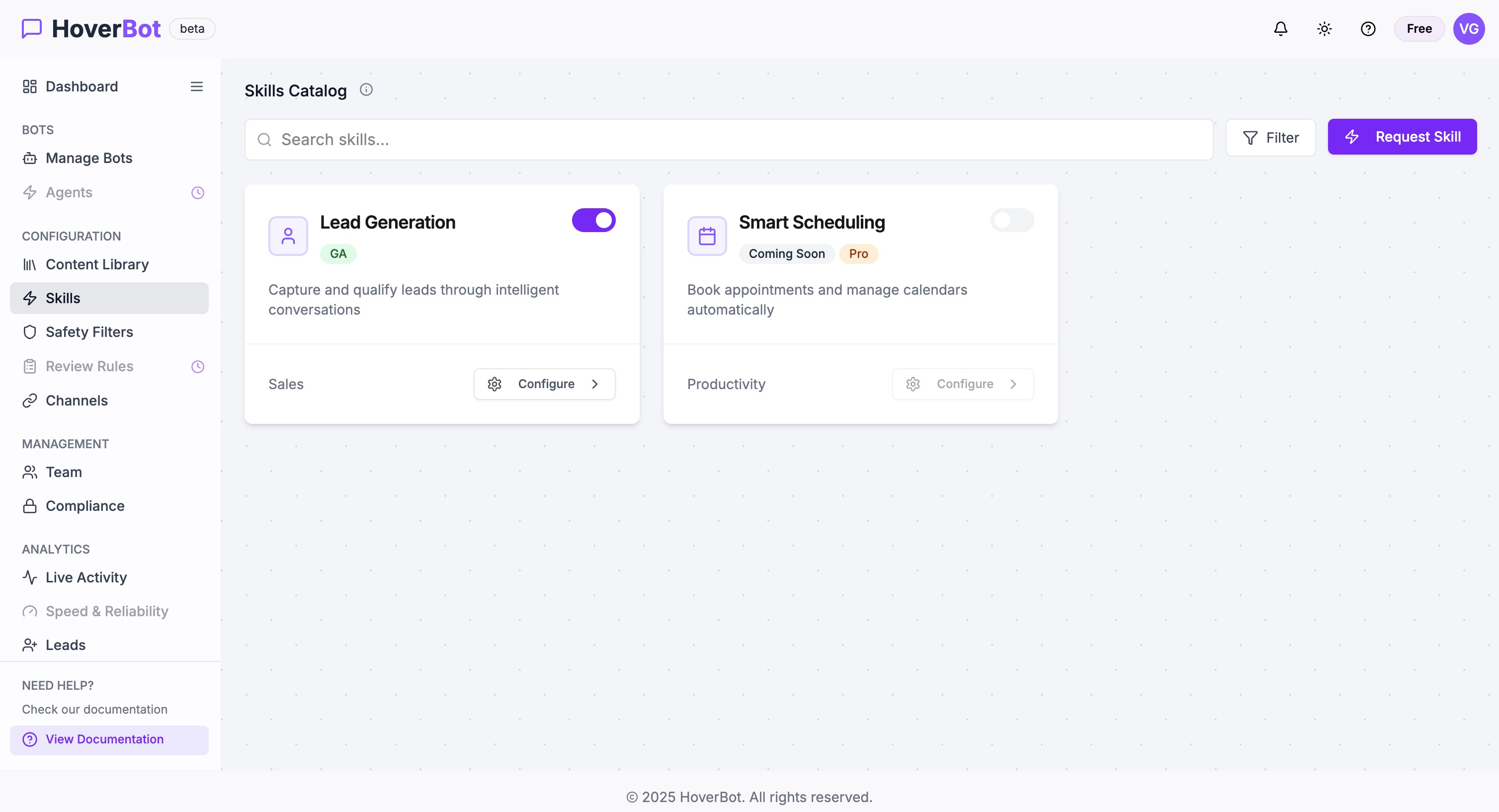
Example: The Lead Generation Skill
Let us take lead generation, a common need for most businesses.
Imagine you have a chatbot on your website. It is helpful, it answers questions, but you still do not know which visitors are serious buyers.
With our Lead Generation Skill activated:
- The chatbot monitors conversation tone and intent using sentiment analysis and keyword detection.
- When it senses genuine interest, it asks for key details such as name, email, or phone number.
- The client can add custom fields, but we recommend keeping it short and frictionless.
- The collected information is automatically pushed into the CRM, creating a qualified lead ready for the sales team to follow up.
The best part is that this happens naturally during the conversation with no clunky pop ups or extra steps for the user.
Why We Recommend Fewer Targeted Skills
It is tempting to load your chatbot with every skill imaginable. But in our experience, that can backfire.
Too many skills can:
- Complicate conversation flows
- Slow down response times
- Increase the risk of incorrect triggers
Instead, we recommend choosing a small set of high impact skills tailored to your specific goals. For example:
- A B2B SaaS company might use Lead Generation and Demo Scheduling
- An e commerce brand might use Promotional Campaigns and Abandoned Cart Recovery
- A service provider might use Sentiment Based Escalation and Feedback Collection
This focus ensures your chatbot stays fast, relevant, and reliable.
The Bottom Line
The HoverBot Skills Framework lets you design a chatbot that does not just talk, it acts.
By layering the right skills, you create an assistant that:
- Delivers richer, more personalized interactions
- Fits seamlessly into your business processes
- Provides you with actionable insights on customer behavior
The result is a chatbot that feels purpose built for your audience and one that drives measurable outcomes, not just conversations.
Frequently asked questions
- What is a chatbot skill?
- A chatbot skill is a modular feature that changes or extends a chatbot's default behaviour. It can give the chatbot a targeted function, such as lead generation, calendar integration, feedback collection, promotional messaging, or sentiment-based escalation. Skills may be broadly available or created for a particular client's workflow, branding, and customer journey.
- How can a chatbot detect and capture sales leads?
- A lead generation skill can monitor conversation tone and intent through sentiment analysis and keyword detection. When the interaction indicates genuine purchase interest, the chatbot can request details such as a name, email address, or phone number. Custom fields may also be collected, although keeping the exchange short reduces friction during the conversation.
- Can a chatbot automatically send leads to a CRM?
- A chatbot can collect contact information during a conversation and push it into a connected CRM. This creates a lead record that the sales team can use for follow-up. The process can occur within the existing conversation, without requiring a separate pop-up or an additional form outside the chatbot interface.
- Why should a chatbot use only a few targeted skills?
- Using too many chatbot skills can complicate conversation flows, slow response times, and increase the chance of incorrect triggers. A smaller set aligned with specific business goals keeps the chatbot focused. Suitable combinations might include lead generation with demo scheduling, promotional campaigns with abandoned cart recovery, or sentiment-based escalation with feedback collection.
About the author
AI Product Engineering Team
Cross-functional team of AI engineers, product managers, and support operators building customer-facing chatbot systems in production environments. We ship weekly releases informed by production telemetry, closed-loop conversation reviews, and benchmark-driven evaluation cycles.
- Customer support automation and intelligent routing systems
- RAG pipeline design and guardrails for regulated workflows
- Operational analytics and closed-loop quality improvement
- Multilingual NLP and entity-level PII masking pipelines
- Production deployments across e-commerce, real estate, and SaaS verticals