Press
Press & brand kit
Everything anyone needs to write about HoverBot accurately: approved boilerplate, the current logo files, product screenshots, founder bio, and the sourced numbers behind our claims. Copy from here rather than from an older listing.
HoverBot at a glance
Product-aware AI chat for ecommerce and marketplace teams.
- Founded
- 2025
- Headquarters
- Singapore
- Funding
- Bootstrapped
- Startup programs
- Member of the Claude for Startups, AWS Activate and Microsoft for Startups programs.
- Customers
- In production with customers under NDA. HoverBot names a customer only with their written consent; reference calls can be arranged on request.
- Category
- AI chatbot management platform
- Website
- www.hoverbot.ai
Verify independently
- WordPress.org plugin directoryPlugin reviewed and approved by the WordPress.org plugin team, with public version history.
- Claude Connectors DirectoryHoverBot's MCP connector, listed by Anthropic.
- e27Startup profile on Southeast Asia's startup platform.
- F6SCompany profile.
- PeerlistCompany profile.
- CrunchbaseCompany profile: founded January 2025, no funding rounds.
Boilerplate
Three approved lengths. All of them are current. Pick the one that fits and paste it verbatim.
One line
Directory listings, social bios, speaker intros
HoverBot is an AI chatbot platform that answers customer questions from a company's own catalog, policies, and documentation.
Short paragraph
Article boilerplate, partner pages, newsletter blurbs
HoverBot is an AI chatbot platform for customer support and lead capture. It grounds every answer in a company's own catalog, policies, and documentation using retrieval-augmented generation, masks personal data before it reaches the model, and hands conversations to human agents when confidence drops. HoverBot was founded in 2025, is bootstrapped, and is headquartered in Singapore.
Full boilerplate
Press releases, briefing documents, analyst notes
HoverBot is an AI chatbot management platform built for production customer conversations. Rather than scripted flows, it uses retrieval-augmented generation to ground answers in a company's live product catalog, policies, and documentation, so replies stay accurate as the underlying content changes. Personal data is masked before it reaches the model, topic boundaries and content filters keep conversations in scope, and confidence-based routing escalates to human agents with the full conversation attached. Teams deploy one knowledge base to a website widget and to WhatsApp Business from a single configuration. HoverBot was founded in 2025, is bootstrapped, and is headquartered in Singapore.
Logos
SVG is authoritative. The PNGs are 2048px wide on transparency, for places that cannot take vector.



Please do
- Use the SVG wherever the medium allows it.
- Keep clear space around the logo equal to the height of the mark.
- Place the reversed logo on dark grounds and the primary logo on pale ones.
Please don't
- Recolour, rotate, outline, or add effects to the mark.
- Stretch, crop, or rebuild the lockup, or set the wordmark in another typeface.
- Use the pink gradient wordmark: it predates the current identity and is retired.
Colours
Amber deep
#8a5a28
Primary brand colour
Amber
#c2954f
Mark gradient, accents
Shell
#171310
Dark backgrounds
Cream
#faf7f0
Page background
Panel ink
#2b2620
Body text on light
Typeface: Plus Jakarta Sans. The wordmark is set in SemiBold and is supplied as outlines, so the font is not needed to reproduce it.
Product screenshots
Current product UI, unretouched. Reproduce them as they are.
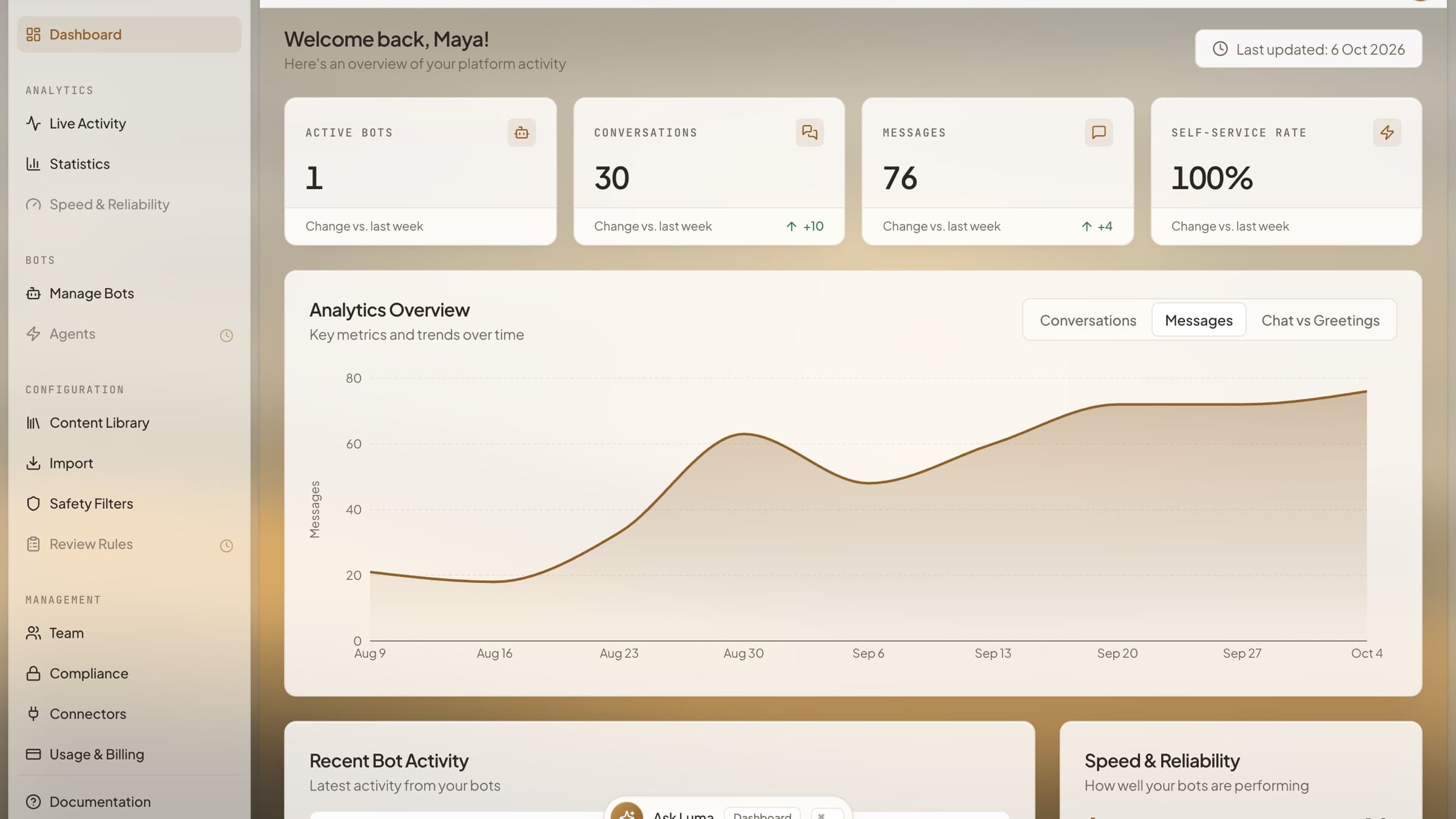
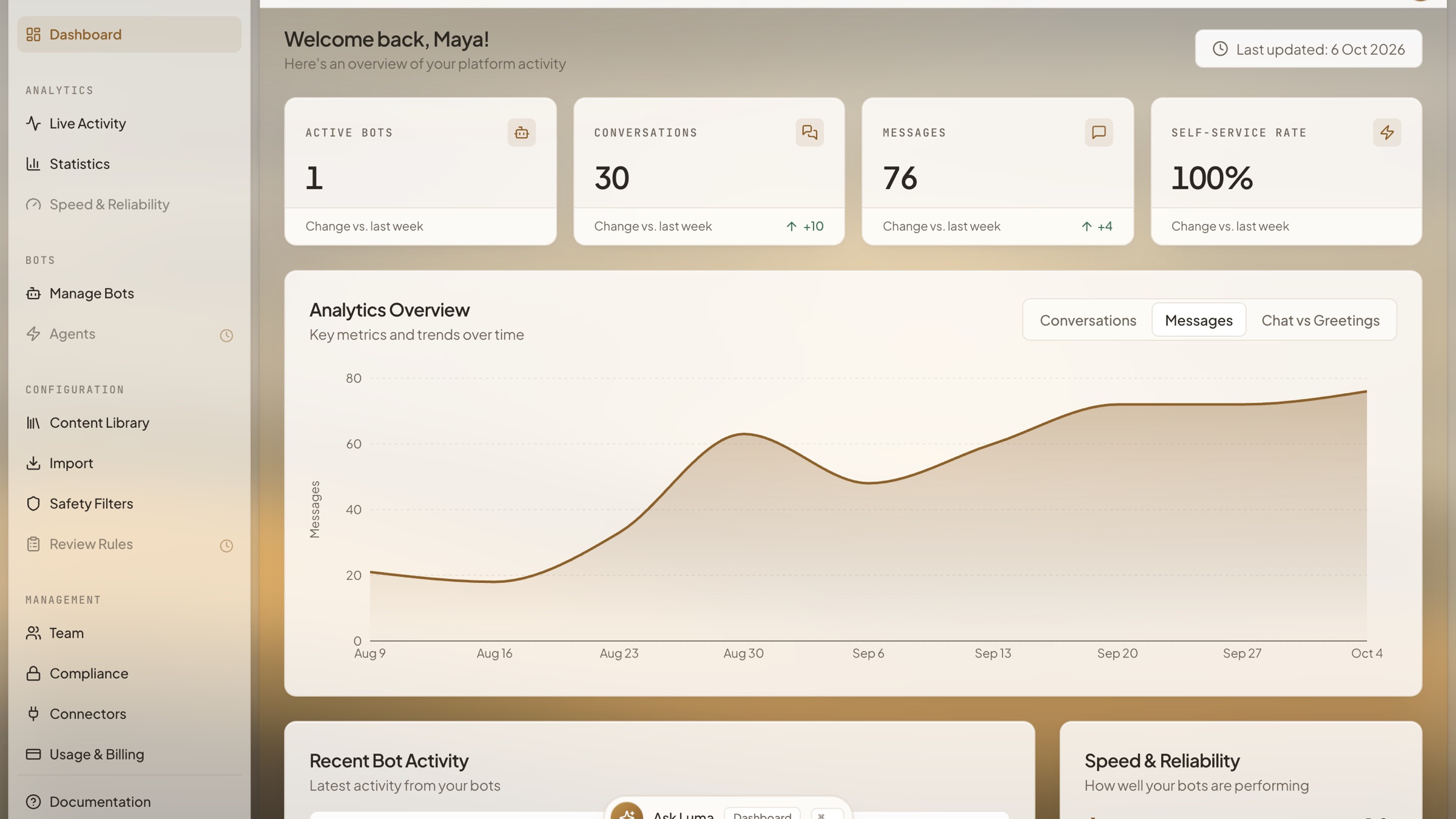
Dashboard
The overview: active bots, conversations, messages and self-service rate against last week, with message volume charted week by week. Shown for a sample store workspace whose traffic history is simulated for illustration.
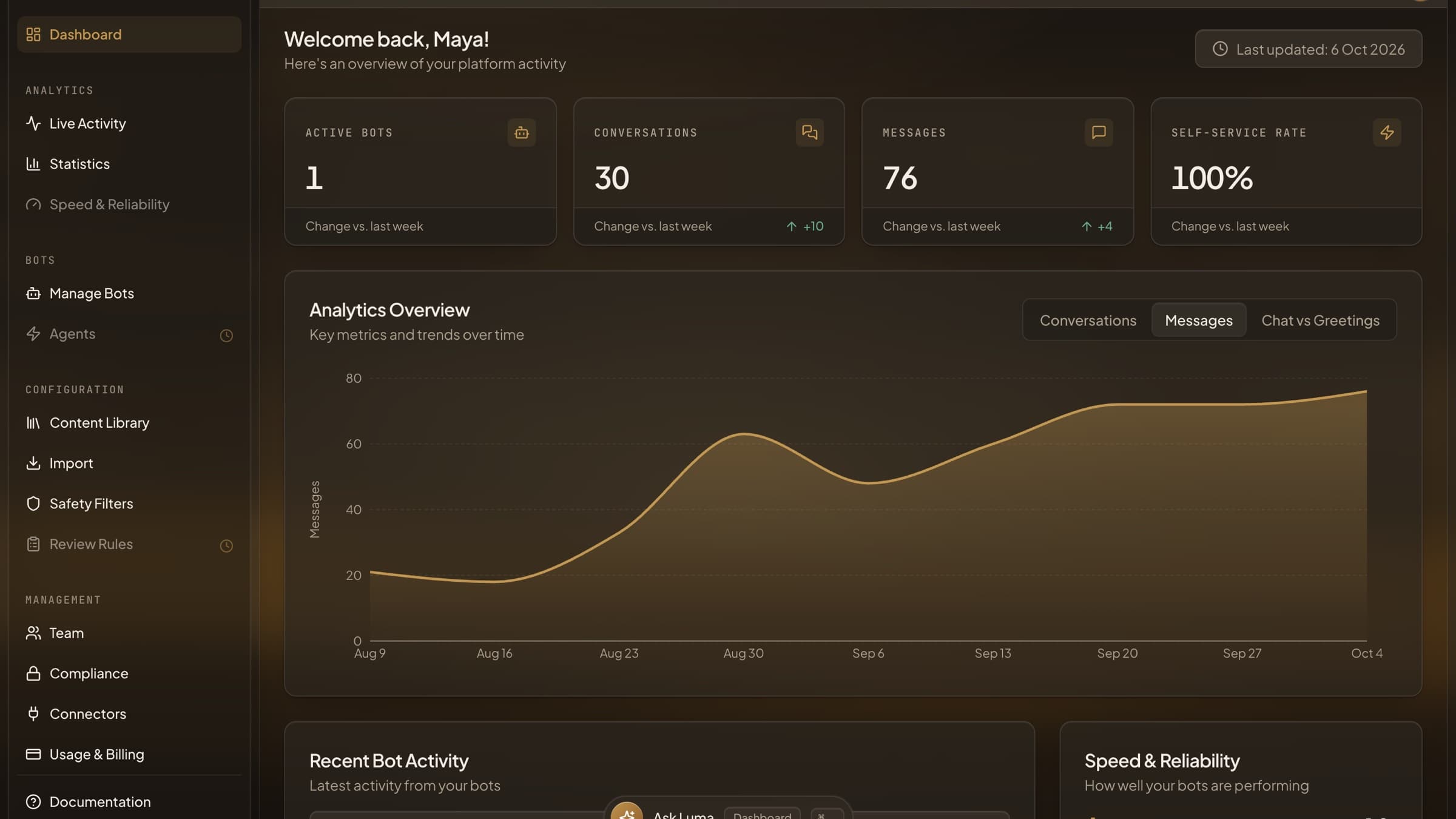
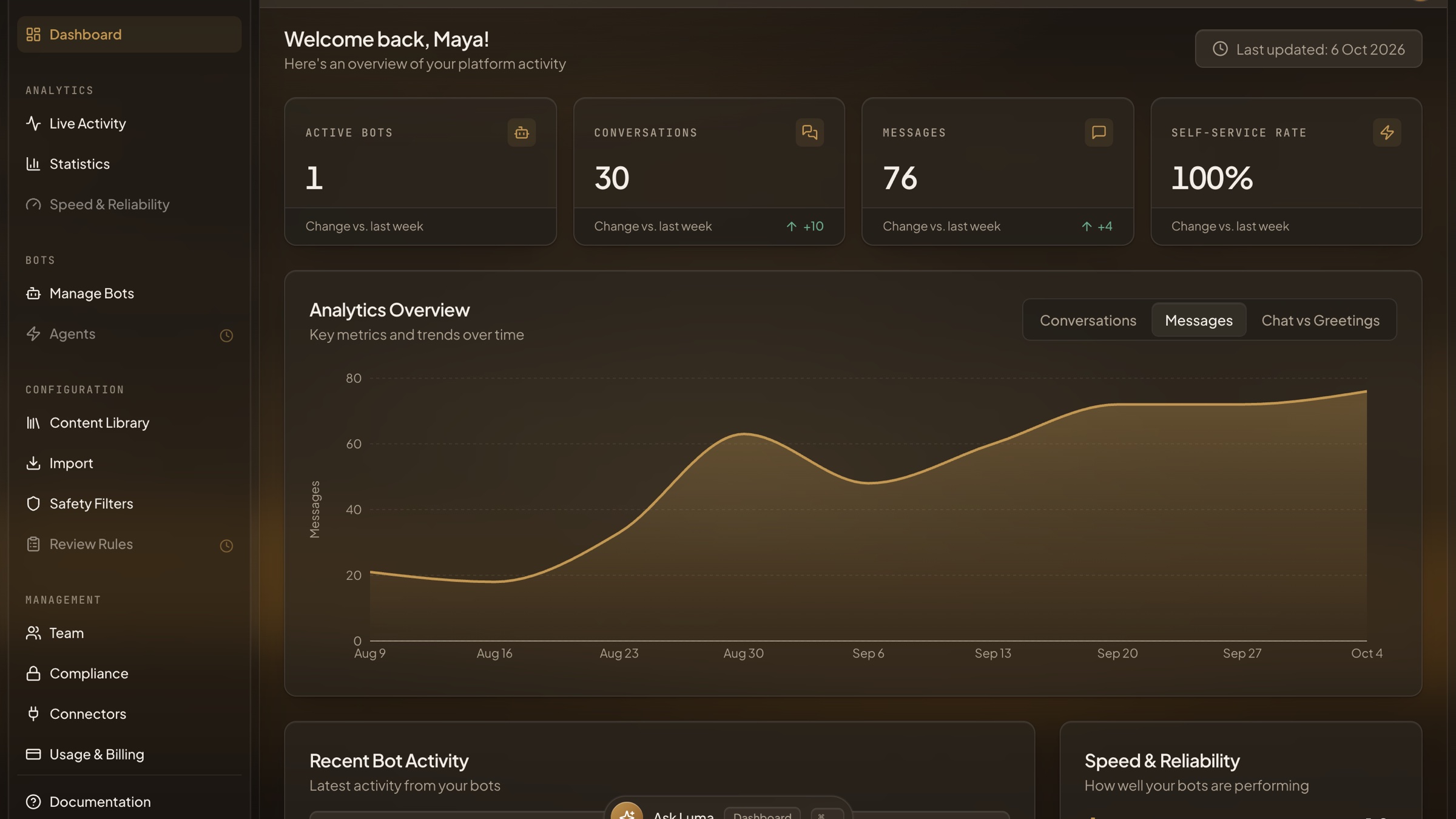
Dashboard - Dark Mode
The same overview in dark mode, with the weekly message chart. Sample store workspace, traffic history simulated for illustration.
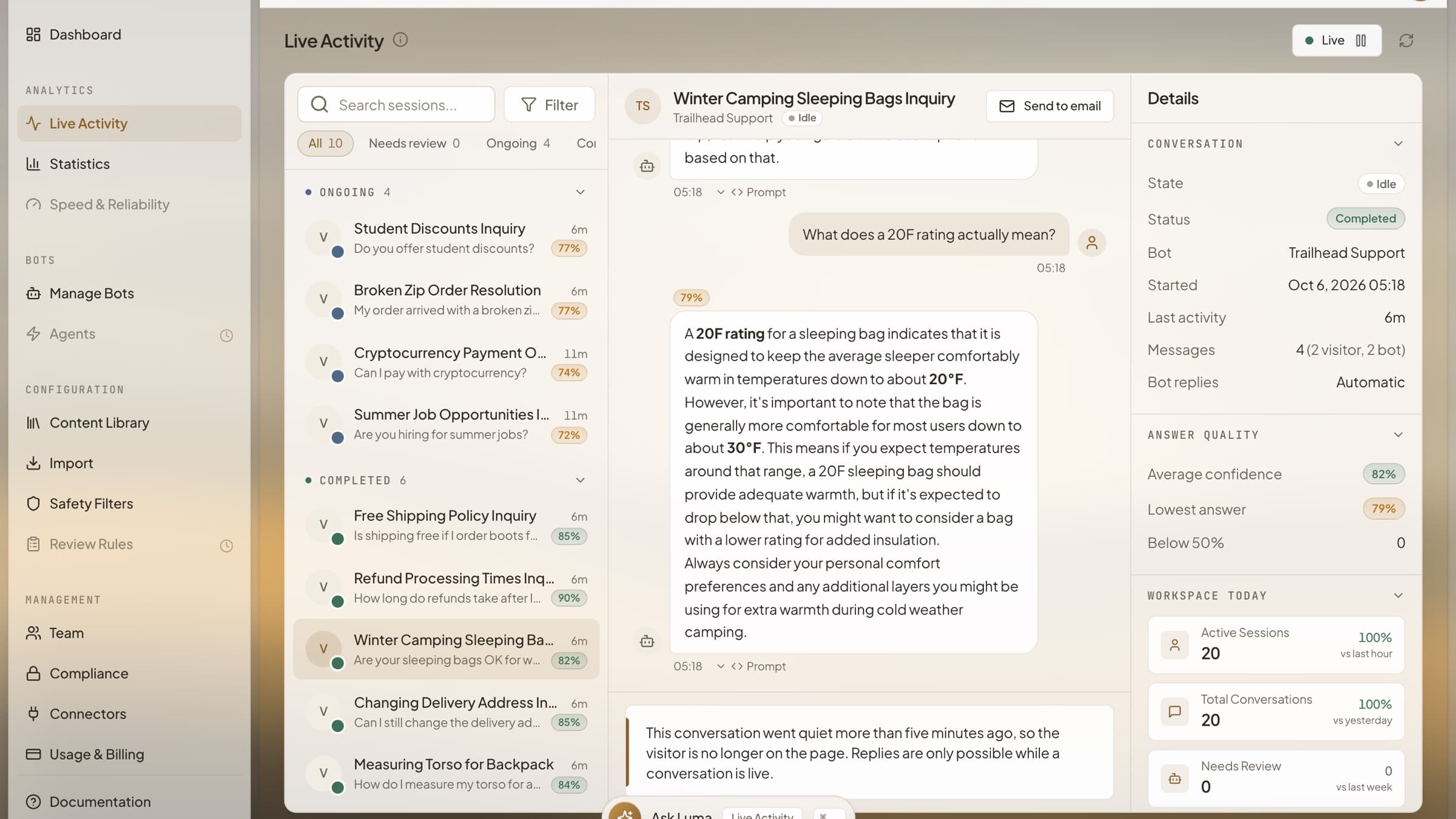
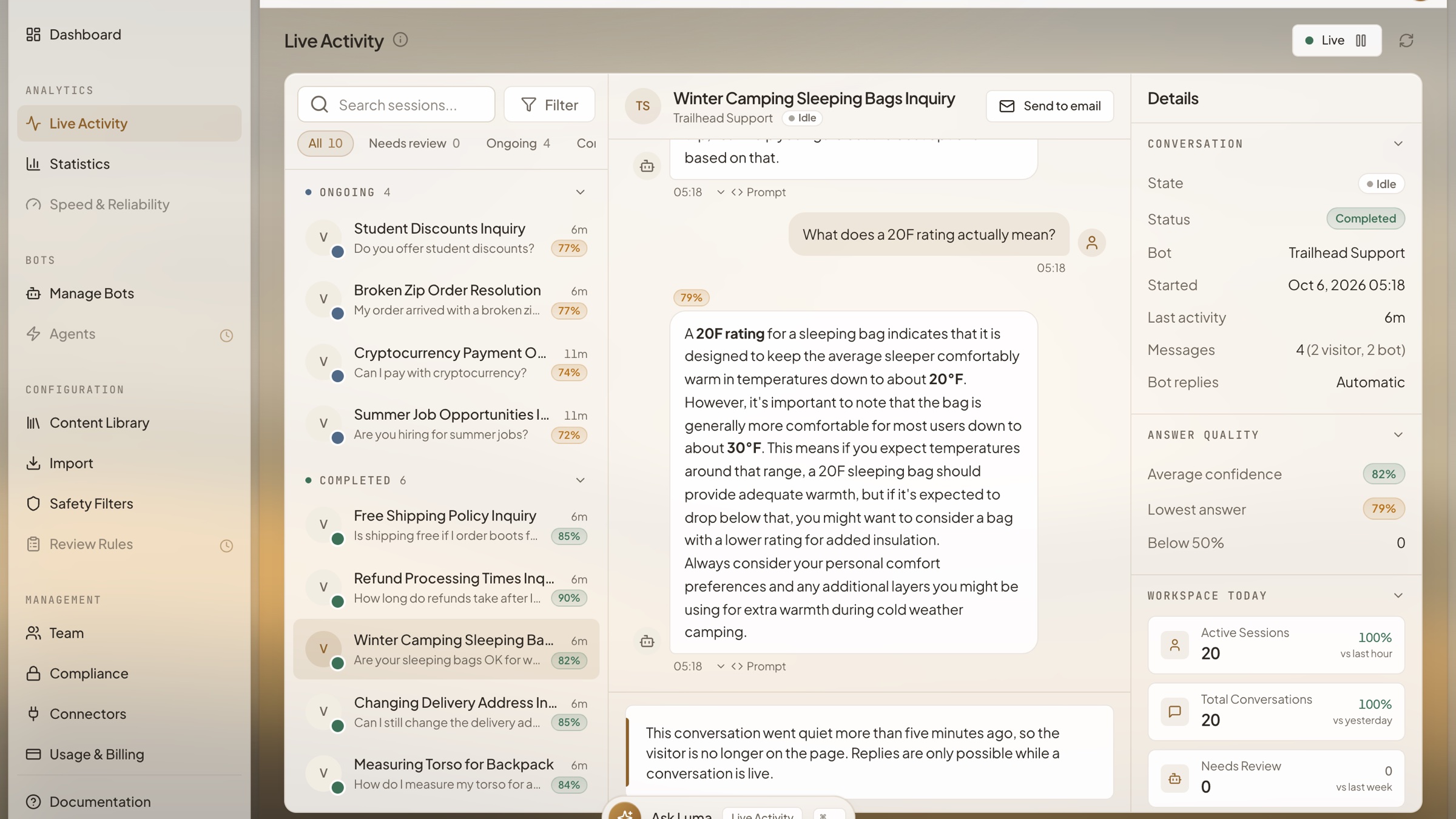
Live Activity
Every conversation in one inbox, grouped into ongoing and completed. Open one to read the exchange, see how confident the bot was in each answer, and check the workspace totals for the day alongside it.
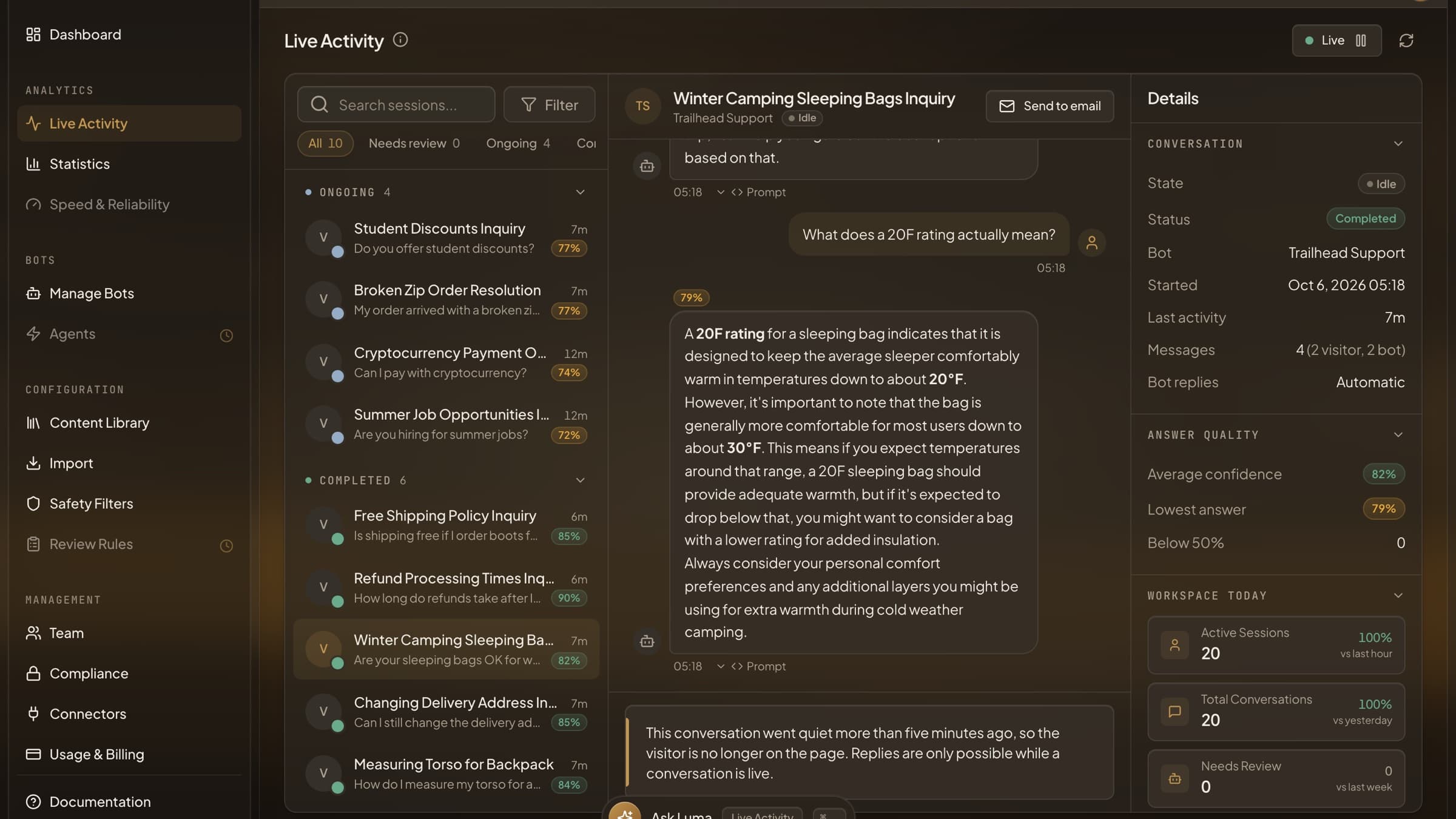
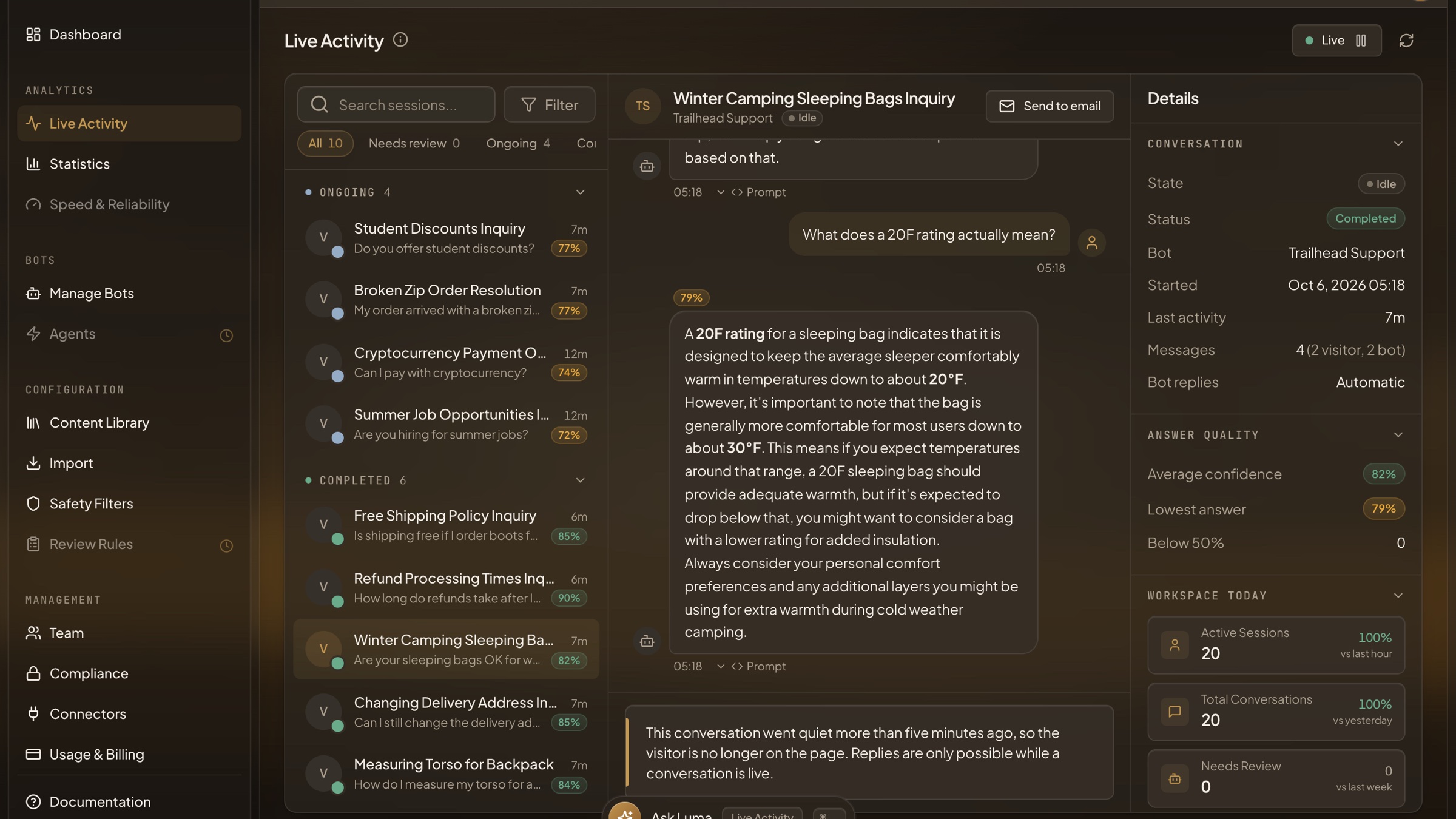
Live Activity - Dark Mode
The same inbox in dark mode. Every page of the dashboard is designed for both themes, and it follows the system setting until you choose one.
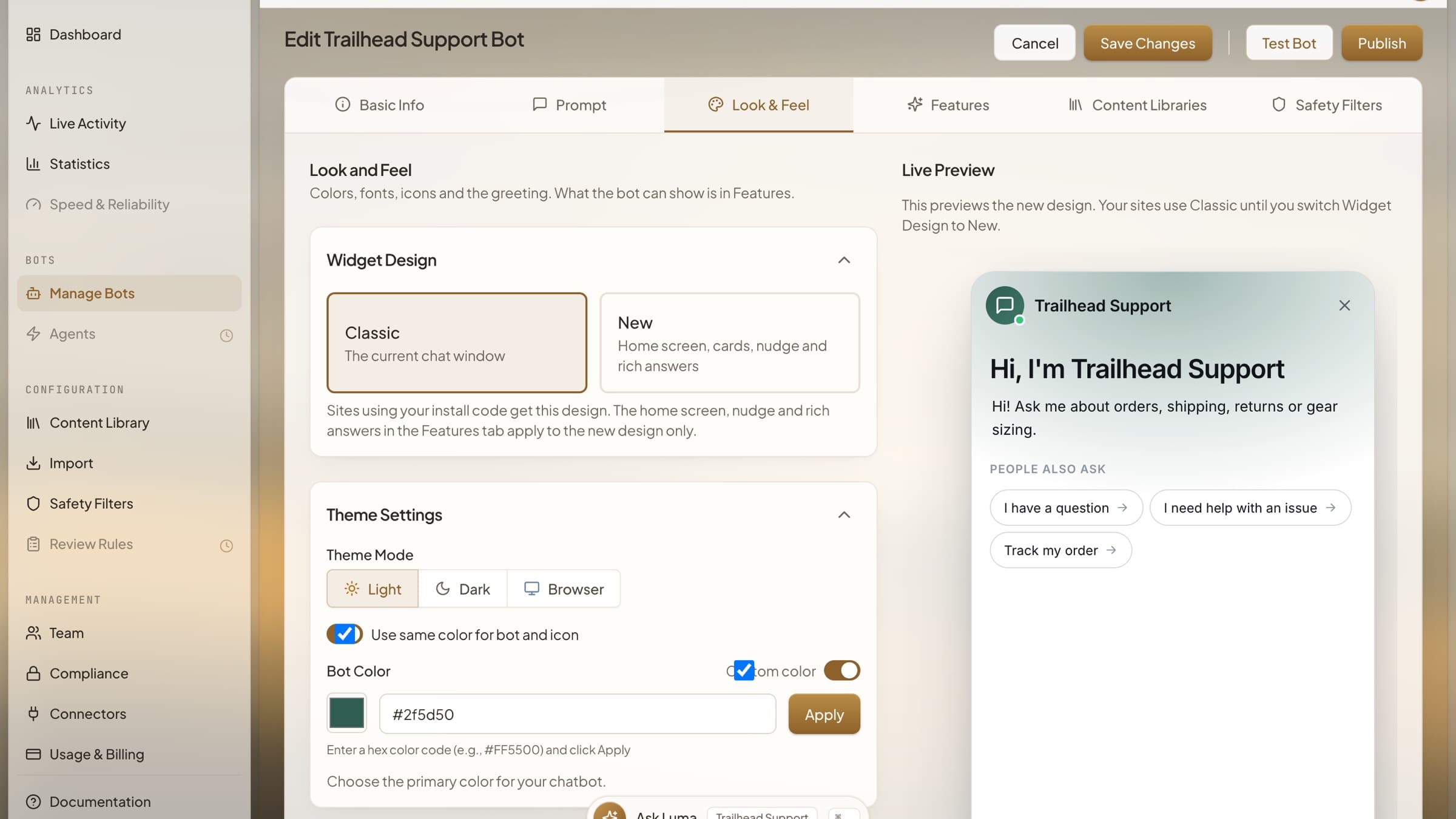
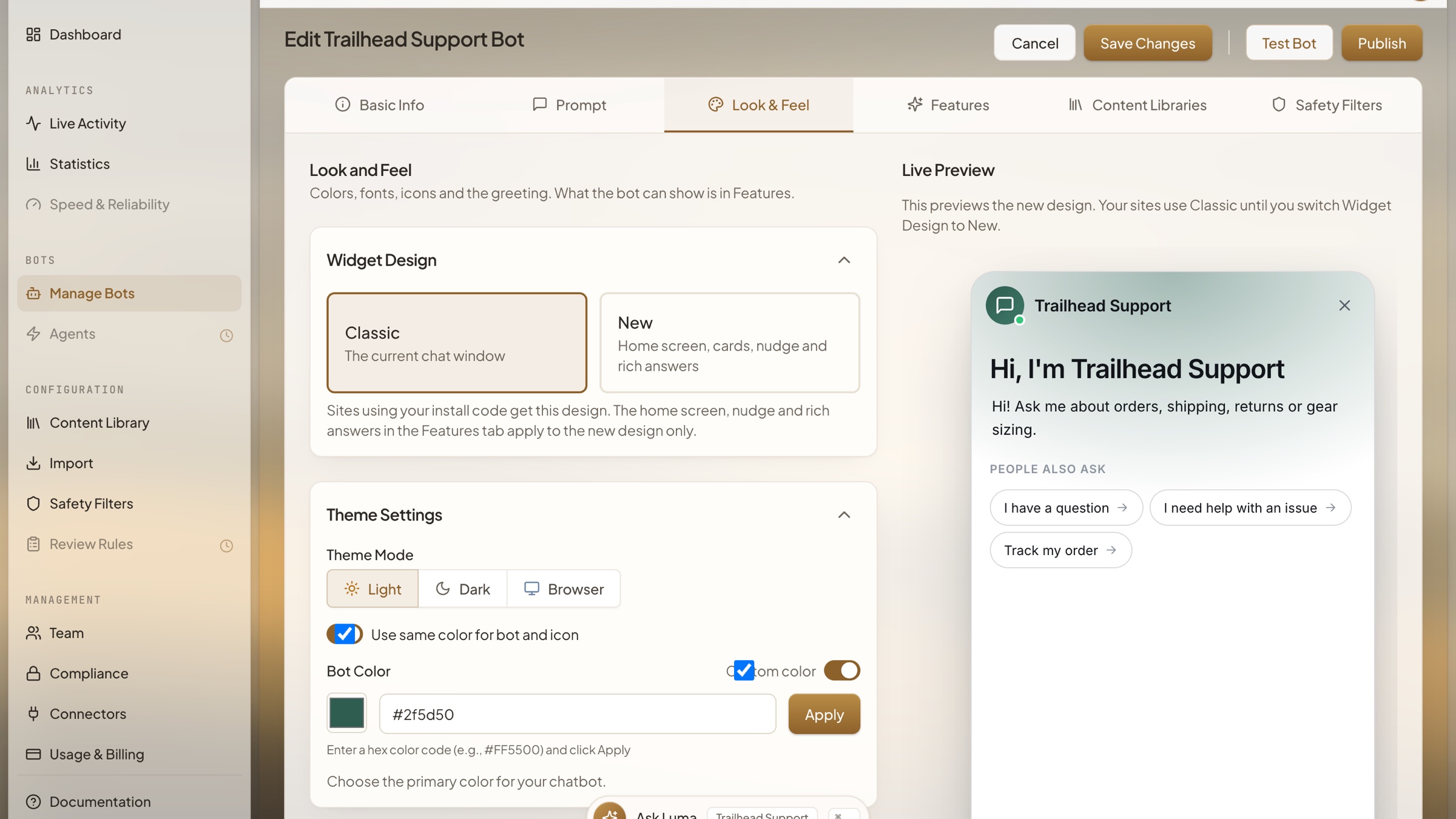
Look and Feel
Set the widget's design, theme and colour, and watch a live preview of the chat window update beside the settings before anything reaches your site.
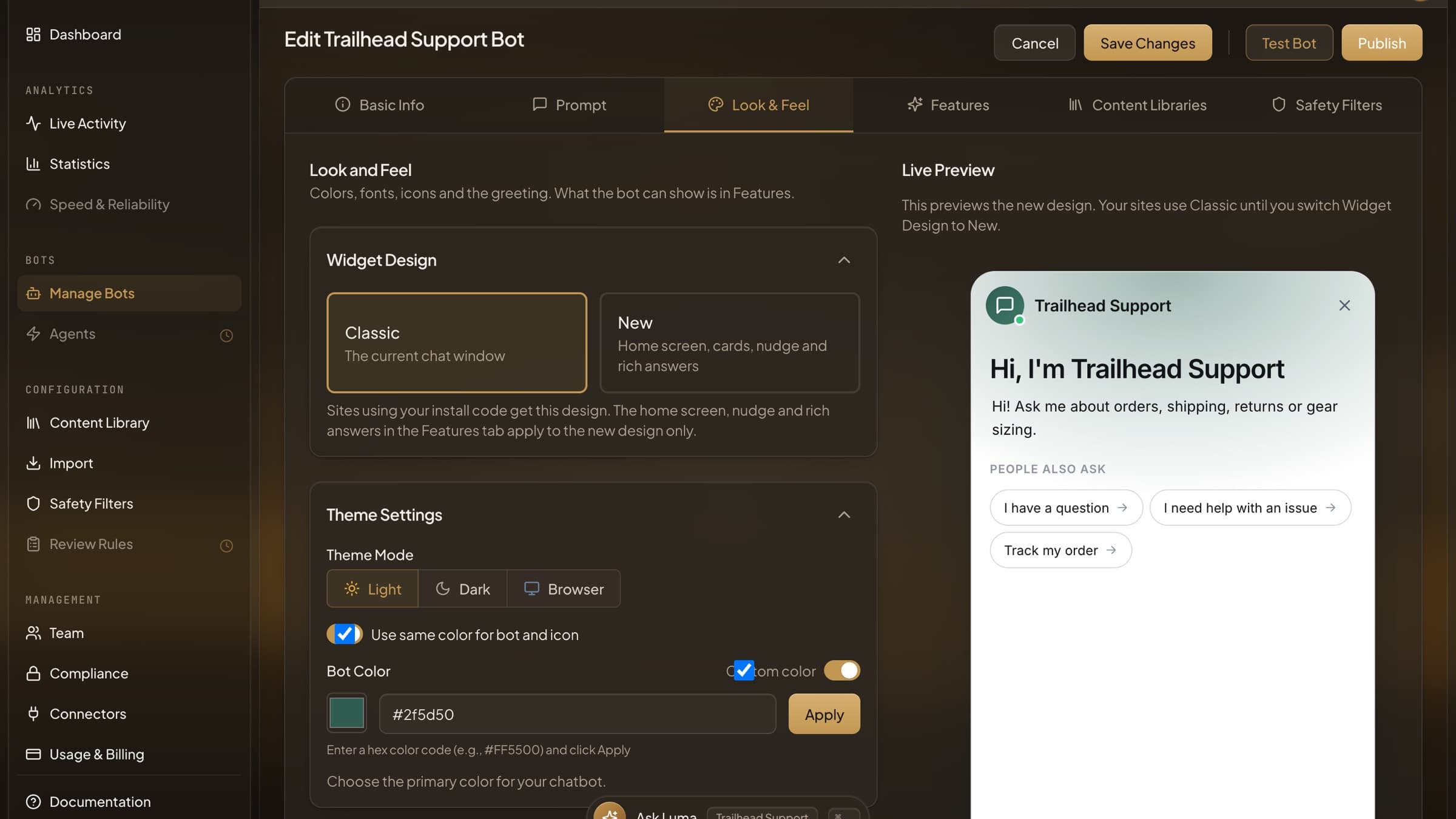
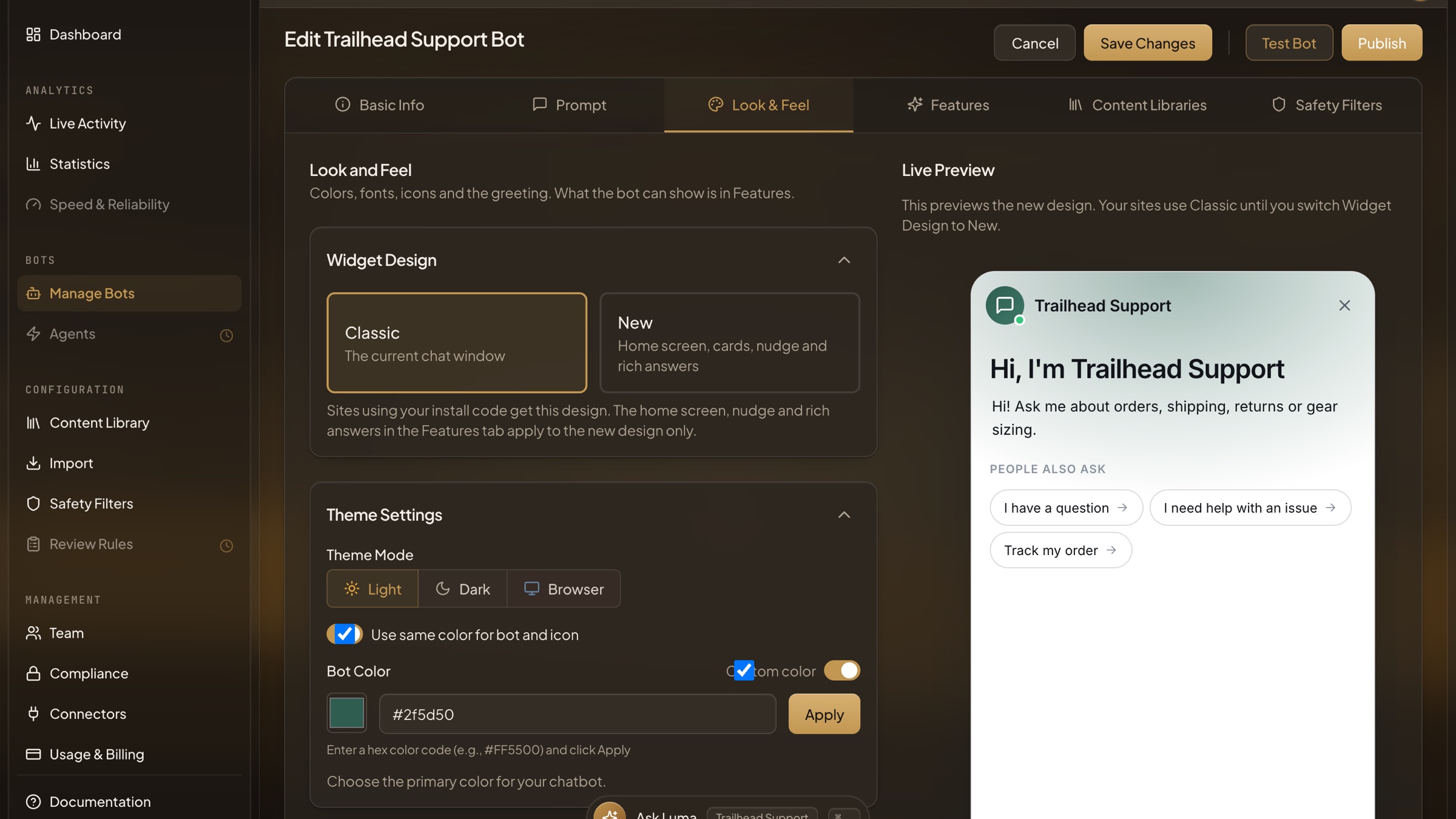
Look and Feel - Dark Mode
The bot editor in dark mode, with the live widget preview alongside the theme and colour settings.
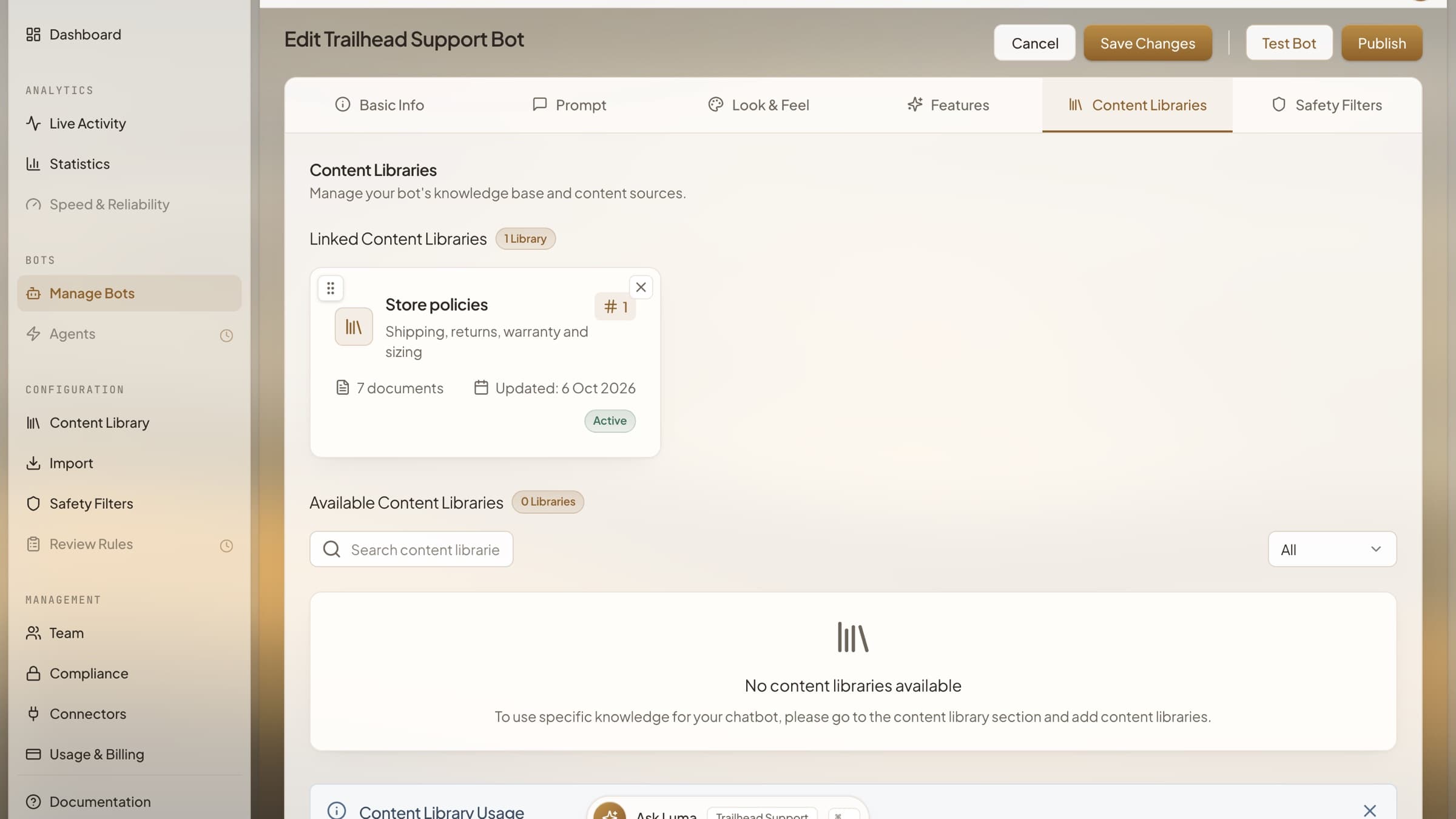
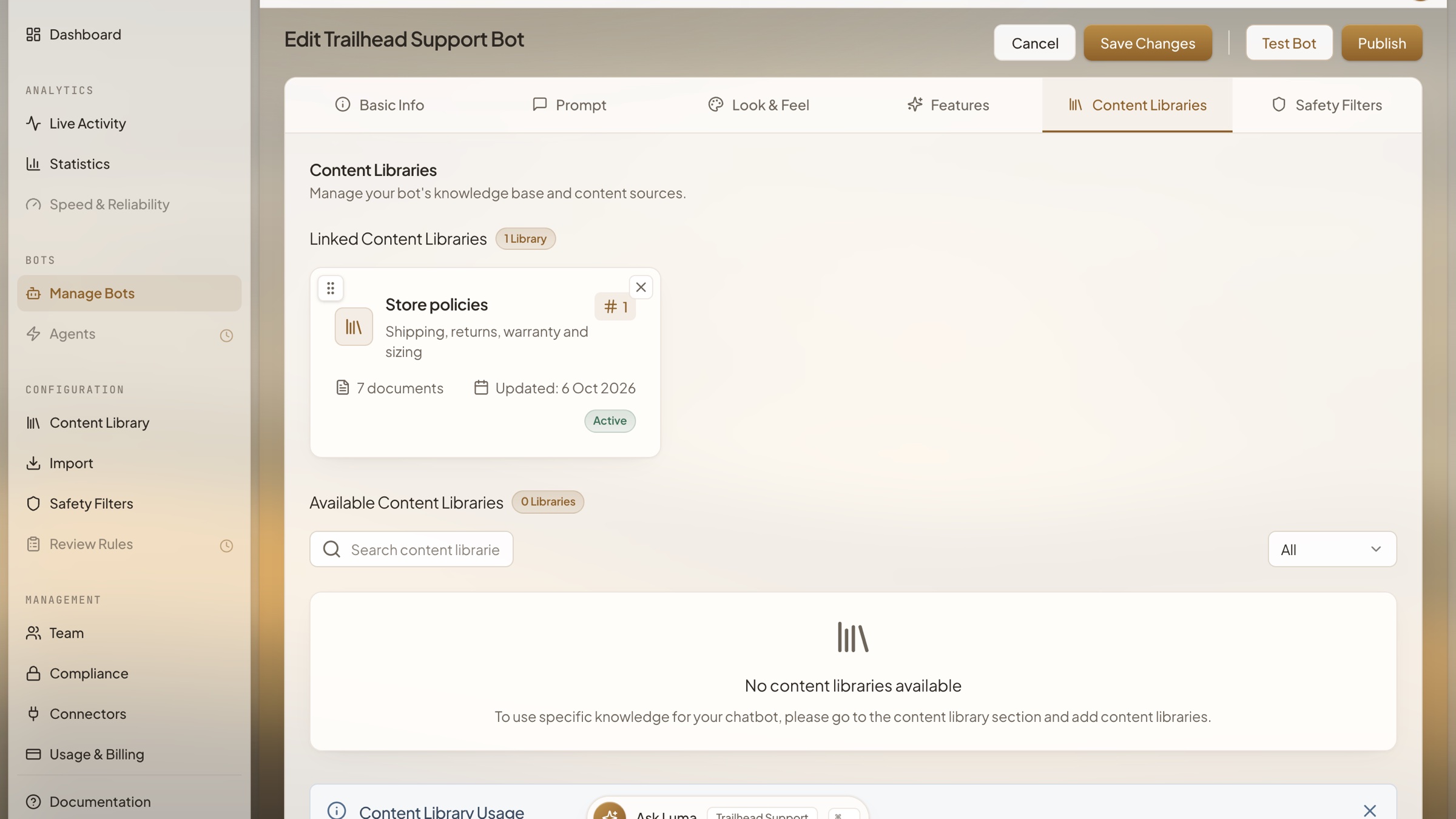
Linking Knowledge to a Bot
Choose which content libraries a bot answers from, and in what order. Each linked library shows its document count, status and last update.
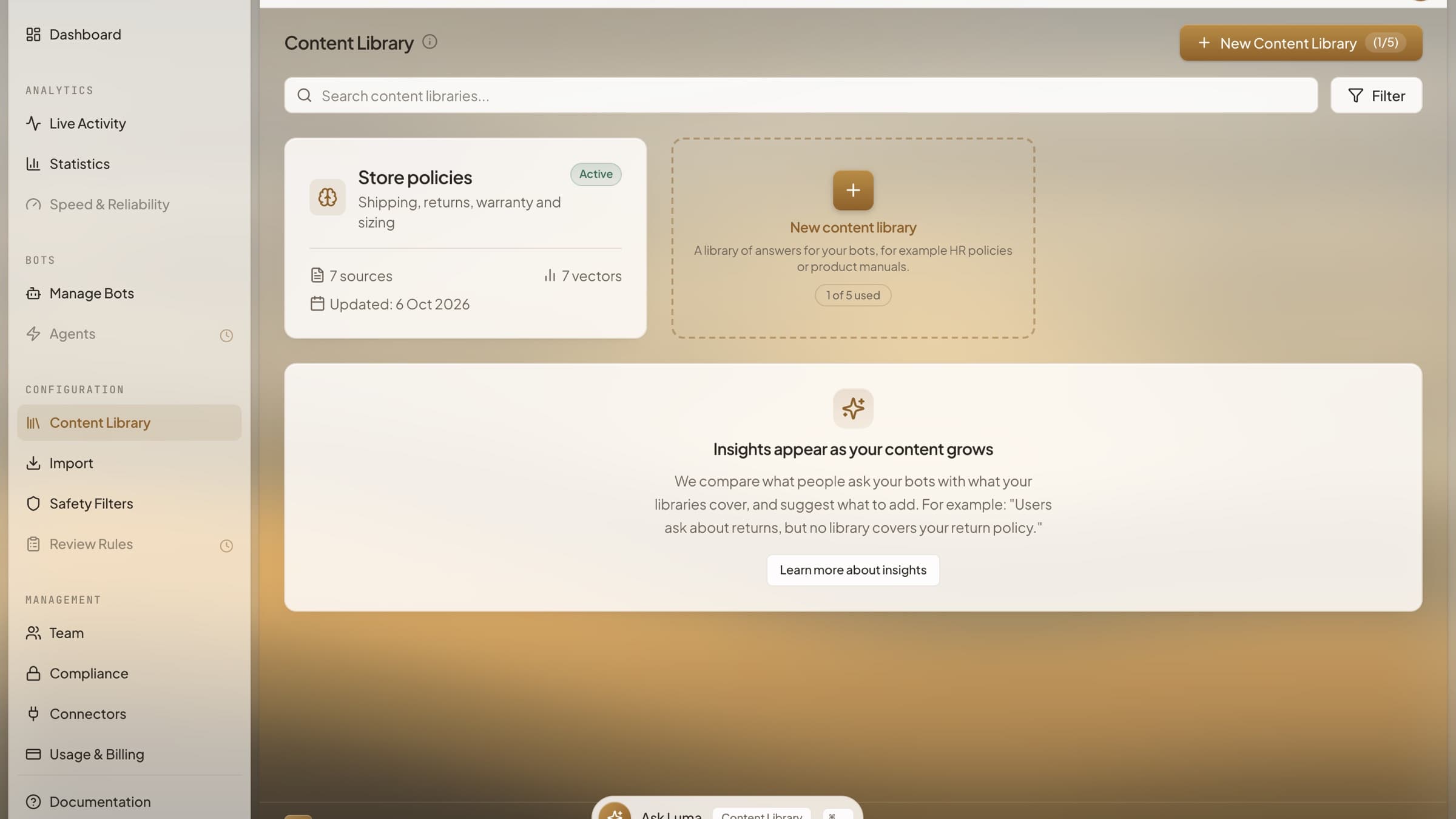
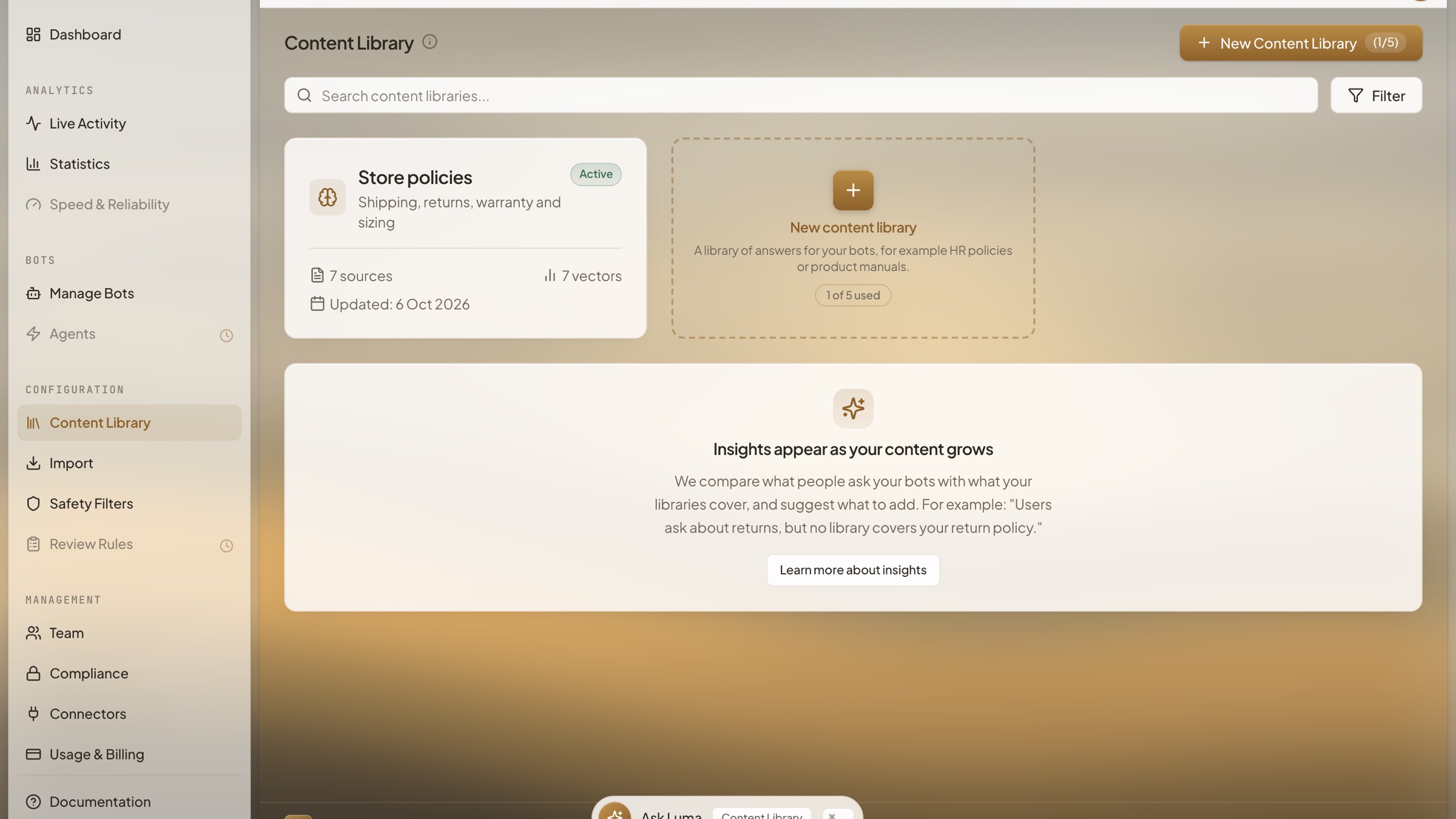
Content Library
The knowledge your bots answer from, kept in libraries of pages, files, text and question and answer pairs. Each library shows its sources and when it last changed.
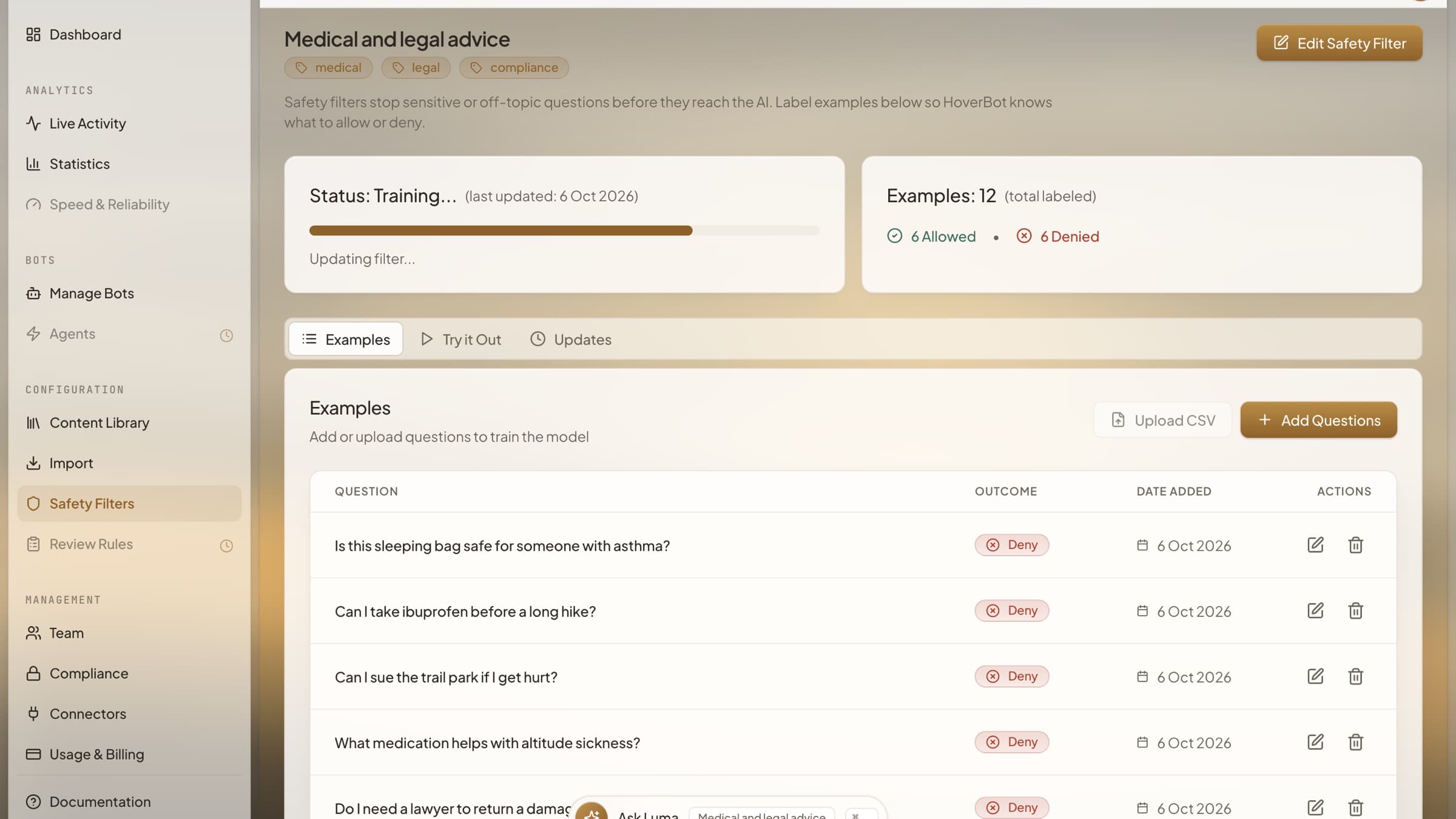
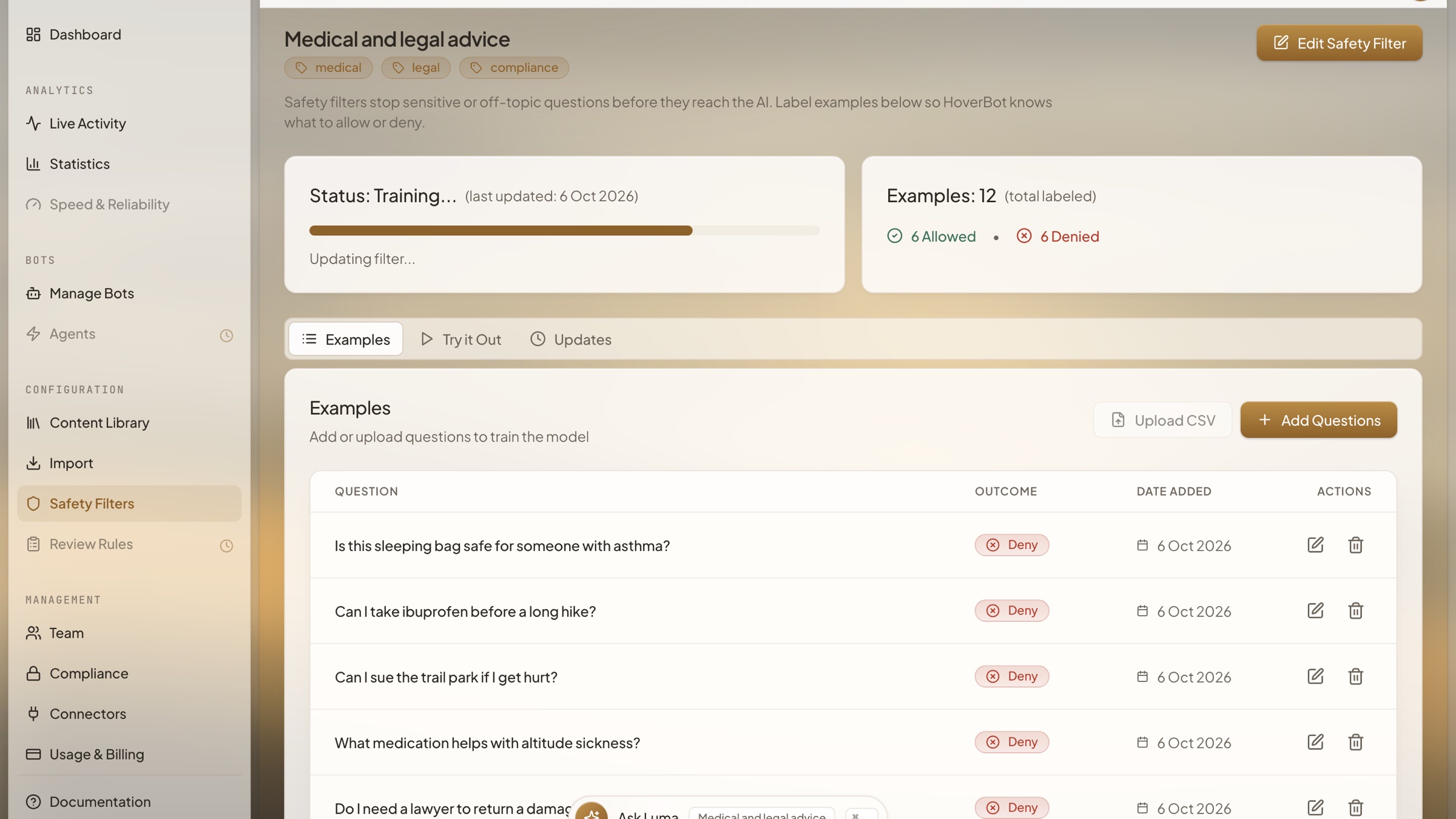
Safety Filters
Stop a bot answering questions you choose, such as medical or legal advice. Label a few example questions as allowed or denied, and HoverBot trains a filter from them.
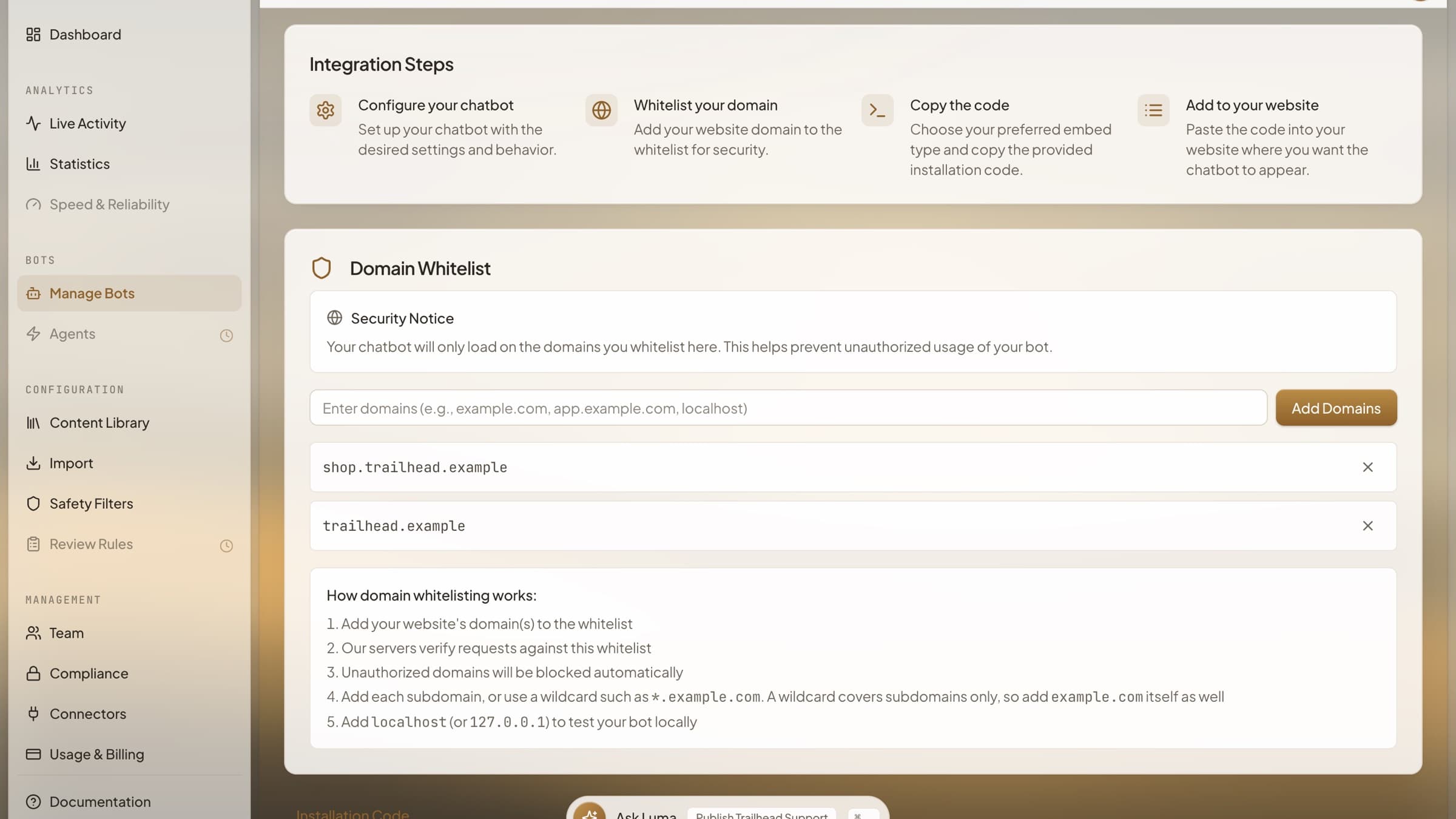
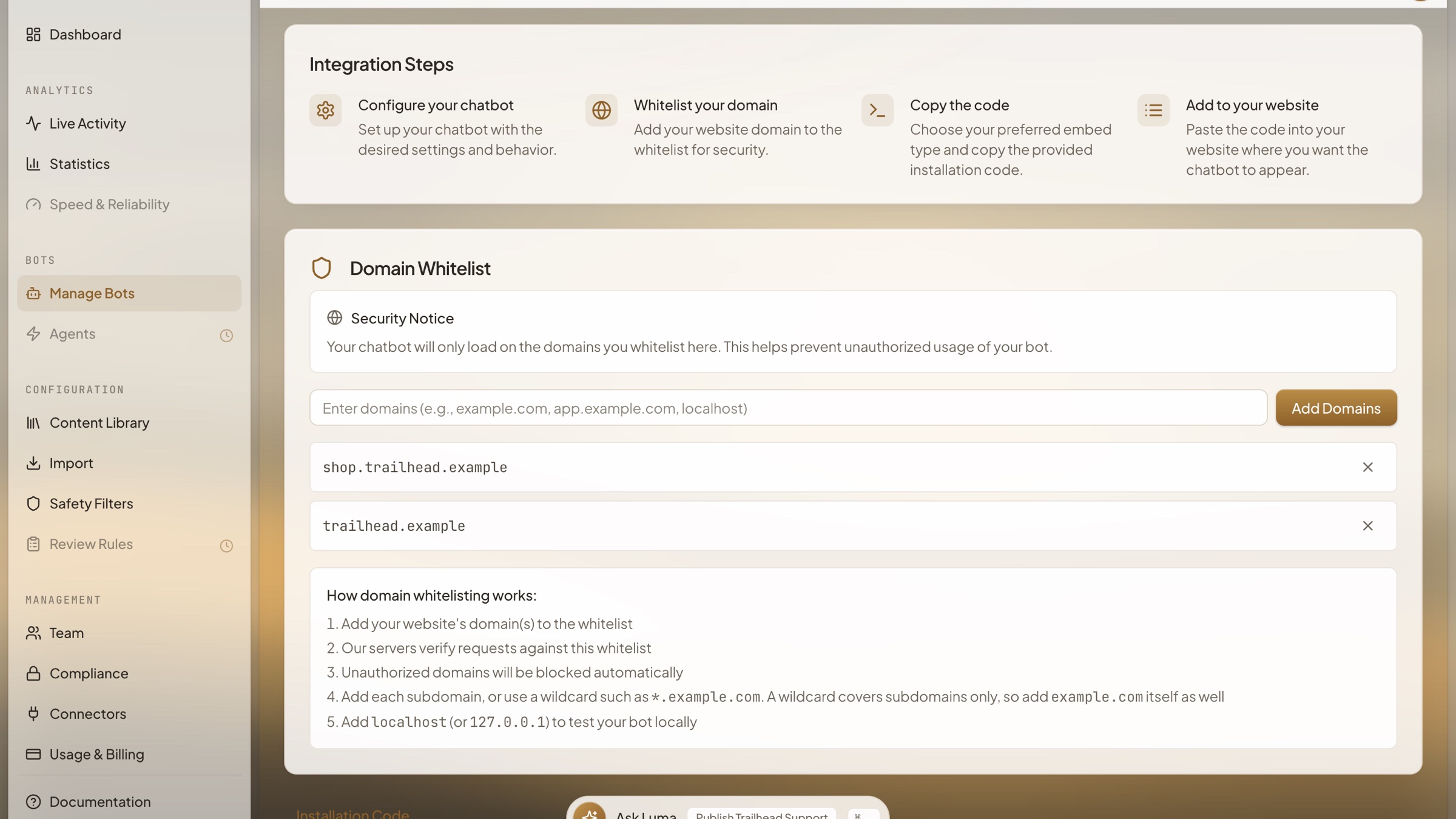
Install and Allowed Domains
Publishing a bot: the integration steps, the domains it is allowed to load on, and the install code to paste into your site.
The full gallery, with the feature breakdown for each screen, is on the platform gallery.
Founder
Approved bio and headshot. Please use this wording rather than assembling one from LinkedIn.

Vitaly Goncharenko
Founder & CEO at HoverBot
Founder of HoverBot, where he leads product strategy and applied AI architecture, and CTO and co-founder of WTFox.ai, a separate company. Nineteen years in software engineering, most recently as Software Architect at Mercer, where he shipped HR chatbots and OCR claims processing on Azure AI, and as tech lead at Darwin and Technosoft SEA, after engineering roles at Sberbank, Veon, and Softline. Hands-on with architecture decisions, deployment operations, and benchmark-driven quality optimization. Based in Singapore.
Short form: Founder of HoverBot and CTO of WTFox.ai. 19 years in software engineering and applied AI.
Founder commentary
Articles quoting Vitaly as a named expert source. These are multi-expert Q&As and roundups rather than profiles of HoverBot.
- Freeduhm25 Modes AI Strengthened Startup Competitive Advantage: Applications and Strategies to Explore
- Prism Global Marketing14 Ways to Use AI to Improve Lead Quality and Pipeline Performance
- Tech MagazineStopping Noisy Neighbors in Multi-Tenant LLMs
- CTO SyncLLM Governance That Ships Safely
- Informatics MagazineYour Go-To RAG Faithfulness Check
- Digital IT NewsPrepare for the Future With These 2026 AI Predictions
- Meditech TodayAI's Impact on Patient Privacy: 8 Expert Practices in Healthcare Data Security
- Tech Magazine4 Creative Ways to Implement Personality Traits in Conversational AI for Enhanced User Engagement
- Under30CEO21 Tips for Success in Working Remotely & Managing Remote Teams
For interviews or expert comment, use the media contact below.
Numbers you can quote
These are the only performance numbers we publish. Each is a range from a stated methodology. Please quote the range, not its upper bound.
25-45%
of support tickets deflected
Target range. Customer deployments run under NDA and none has closed a published measurement window yet.
Benchmark methodology →80-90%
response accuracy on documented topics
Target for documented topics with grounded retrieval enabled. Measured by human review, not self-reported by the model.
Benchmark methodology →15-30%
of visitors converted to qualified leads
Target range for conversations that reach a qualification flow. Not yet confirmed on a production cohort.
Benchmark methodology →7-30 days
from setup to production deployment
Target window. Varies with data readiness, channel setup, and approval cycles.
Benchmark methodology →Recognition
Where HoverBot has been recognised, and the directories carrying a listing.






Listed on
Usage terms
What you may do with the material on this page.
- 01
The HoverBot name, logo, and mark are trademarks of HoverBot. Use them to refer to HoverBot, its product, or its content.
- 02
Do not use them in a way that implies HoverBot endorses, sponsors, or is affiliated with your product, event, or organisation.
- 03
Screenshots may be reproduced unaltered. Do not composite them with content that misrepresents what the product does.
- 04
Boilerplate text on this page may be reproduced verbatim or shortened, provided the meaning of any metric and its range is preserved.
A machine-readable copy of this page is published at /press/press-kit.json.
Media contact
Media enquiries reach the same team that answers support. Include your outlet and deadline and we will come back to you.